









Credentials resolved at the gate.
Use configured environment, file or Vault references. The MCP proxy resolves and injects connector credentials on the way out. Non-MCP sessions can return credentials to the runner.
Credentials and VaultThe self-hosted agent control plane
Run agents across frameworks with shared connector policy, human approvals and durable run history. Inspect what happened, track usage and recover when a worker fails.
Apache-2.0. Self-hosted. Keep your SDK and model loop.
Works with your stack
Evaluate an agent, call it from another workflow, connect a chat UI or follow its traces. Start with a documented integration through REST, MCP, AG-UI or OTLP.
Send test cases through managed runs and check the returned answers before changing your agent.
Checkout provider · ordinary evaluations Set up evaluations MCP Call a specialistKeep the surrounding workflow and invoke a Runkite-managed agent as an MCP tool.
Checkout client recipe and specialist bridge Choose an MCP caller Text stream Connect your chat UIPresent managed text responses in your app, with retained replay, reconnect and explicit Stop.
Checkout bridges · app-owned routes Connect a frontend OTLP Follow the tracesSend operational spans to your own observability backend using the existing OTLP exporters.
Exporter configuration · native Langfuse check Configure trace export Model API Route model requestsLet the runner's model client use Semantic Router while Runkite manages the agent's execution.
Published walkthrough · external model router Explore the routing setup MCP / OTLP Use existing protocolsConnect an MCP caller, choose an OTLP receiver or configure an outgoing tool connector.
Configuration recipes · separate setup checks Browse the recipesEach guide explains setup, tested scope and limits. Caller and UI examples are source-checkout code; trace and connector recipes use existing protocol support. Explore the framework runner profiles or the separate OpenShell sandbox experiment.
See the operational side
When an agent starts doing work, you need to inspect its runs, review sensitive connector calls and follow the decisions behind them. That is the layer Runkite adds.
Managed execution
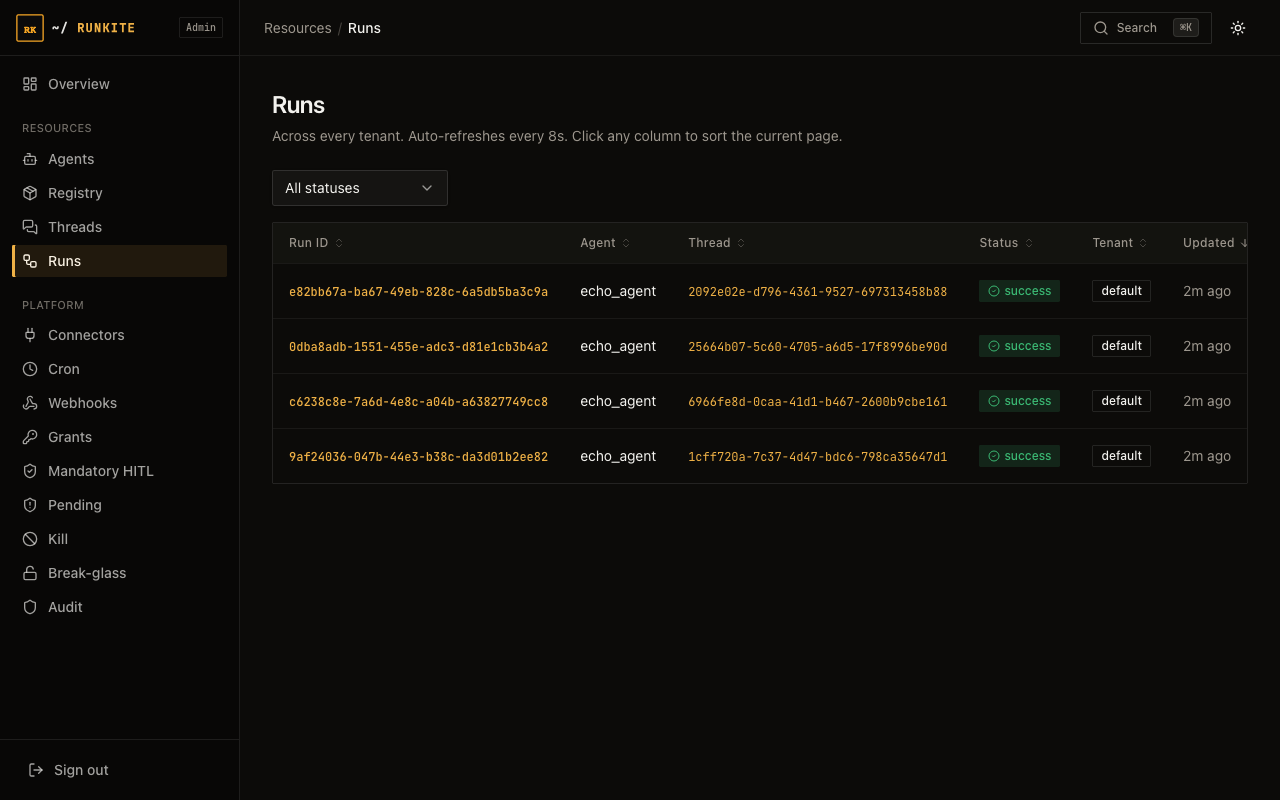
Inspect a managed run's input, result and retained events in Admin. Run and thread records live at the plane, while your framework executes on a separate worker.
Runs and threads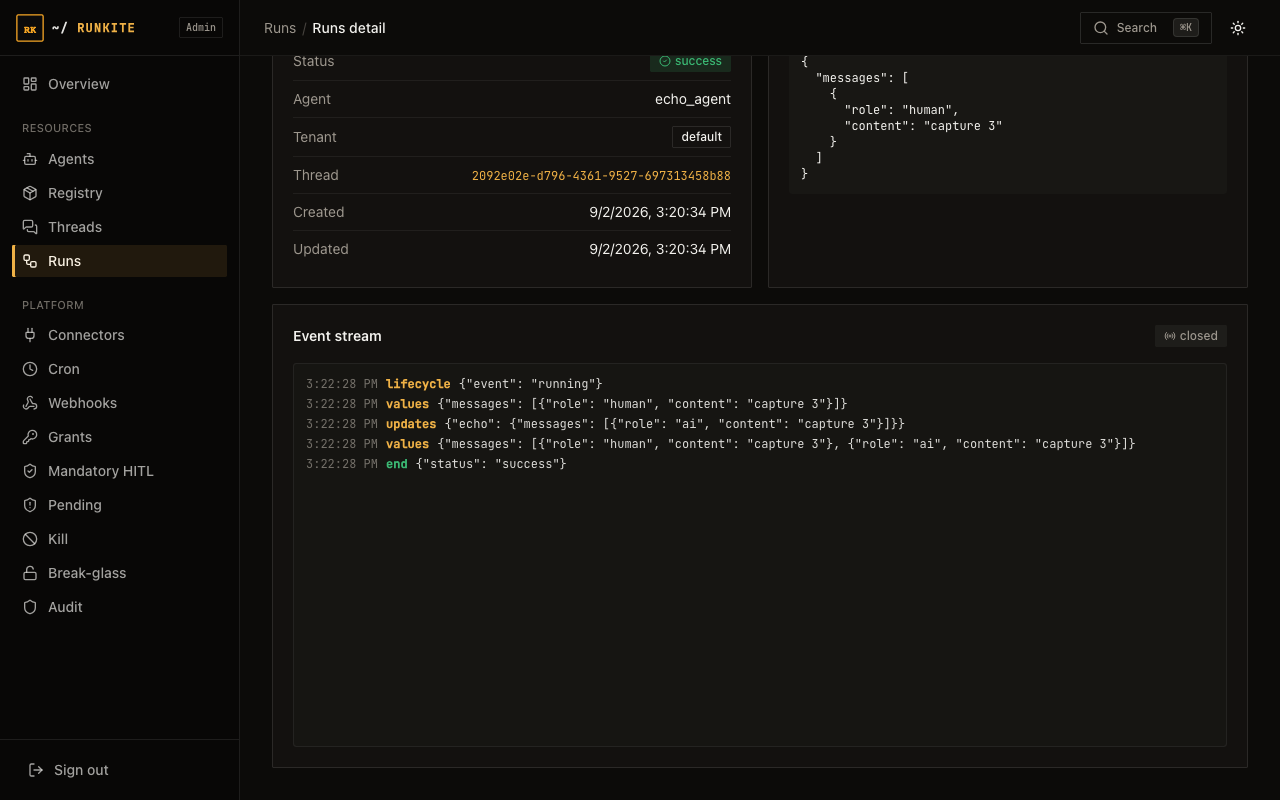
Human approval
Marked connector calls can wait for approval. Review the request in Admin or use tenant-scoped review access. The Pending screen below shows two distinct sample requests.
Reviewer access and approvals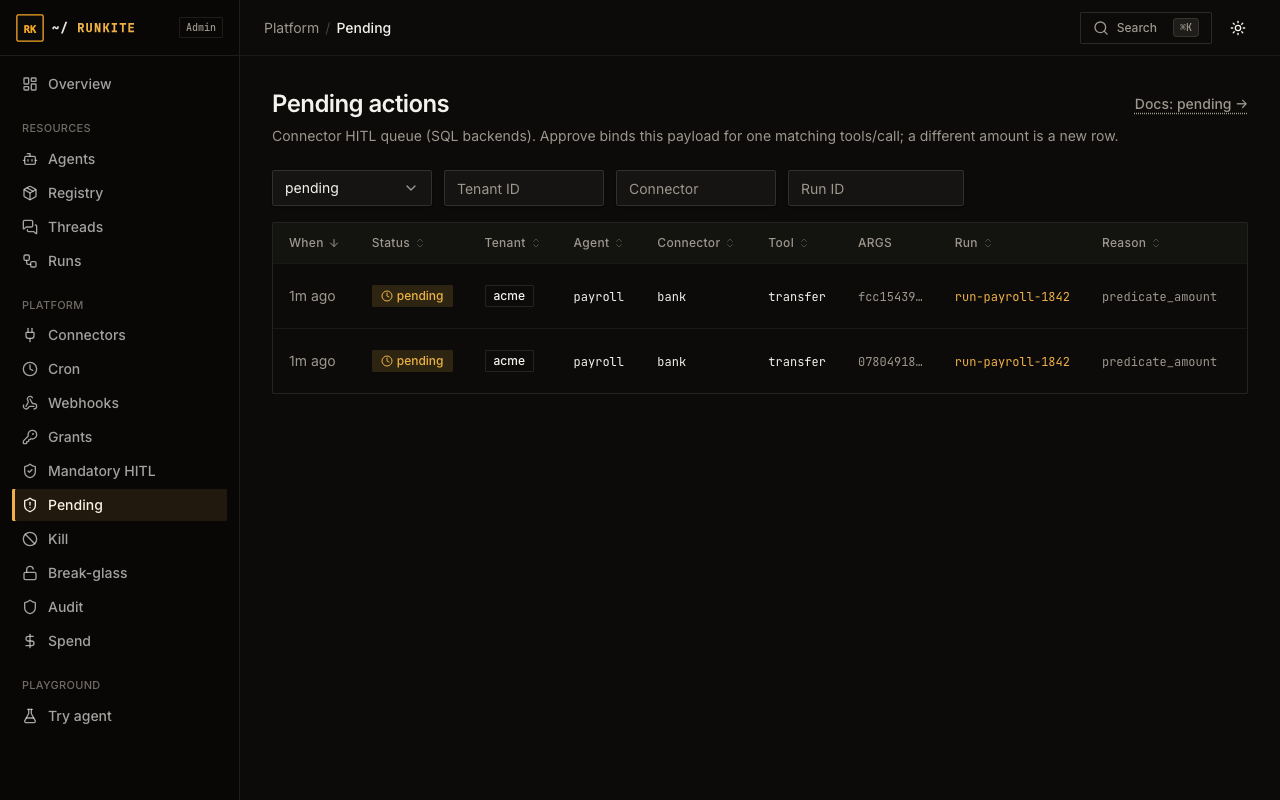
Policy audit
Inspect recorded policy decisions by tenant, agent and action. SQL audit records decisions. Separate, opt-in connector action evidence records outgoing MCP attempts and observed responses.
Audit and action evidence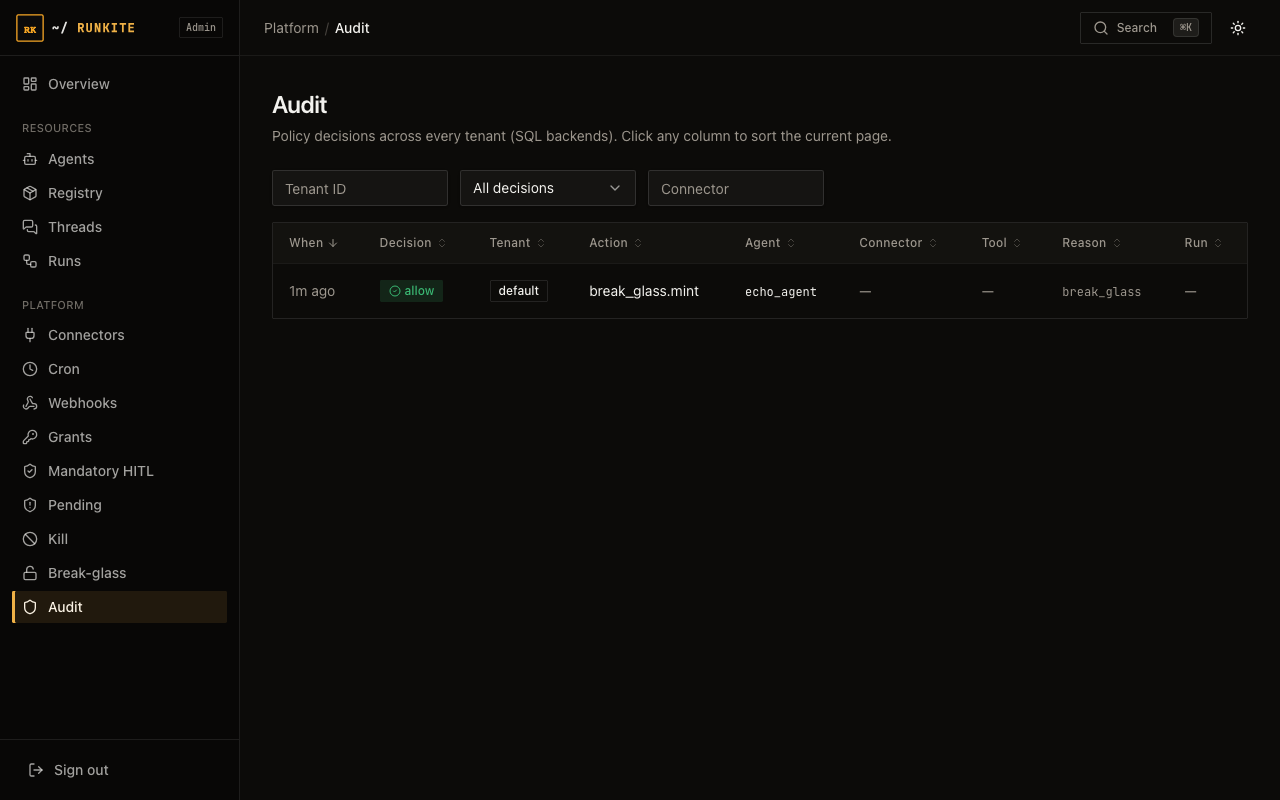
Use configured environment, file or Vault references. The MCP proxy resolves and injects connector credentials on the way out. Non-MCP sessions can return credentials to the runner.
Credentials and VaultManaged approvals bind to the requested arguments and configured connector target. Configure tenant reviewers, requester separation and distinct-reviewer quorum where needed.
Review controlsRecover managed assignments and reject superseded attempts. Supported adapters retain committed turns. External tool effects still need application-level idempotency.
Recovery and its limitsTrack reported tokens and estimated cost. Managed-run admission checks caps and reservations. Usage records distinguish unknown from reported zero.
Usage and spend controlsConnector controls apply to calls that use Runkite's gate. Local tools and direct model calls do not automatically pass through it. An observed response does not prove an external business effect. Read the boundaries.
Follow the complete managed path
Start with the original LangGraph SDK client path, then look inside the framework runner. These are two views of the same Runkite-managed system.
Create a thread, start a run and stream events through Runkite. The graph executes on your runner.
langgraph_sdk
or an Agent Protocol HTTP client.
Inspect managed runs.
Schedule agent work.
Threads and runs.
Admission and dispatch.
Cancellation, usage and audit.
Grants, credentials and marked-call approval.
Python or LangGraph.js.
Execute the graph and report events.
Allowed tool calls pass through the plane's proxy.
Client to plane to runner, then back. The LangGraph client SDK creates runs and consumes HTTP/SSE through Runkite. The runner pulls work over gRPC and reports events; Runkite returns the stream to the client. WebSocket is another Runkite client endpoint. Admin and Cron use the same plane.
Model calls originate in the runner. Optional MCP connector calls return through Runkite's gate; direct local tools do not acquire connector policy automatically. Explore the two protocols.
LangGraph, Vercel AI SDK and managed Python SDKs keep their native agent logic in a separate runner.
Create a thread and run.
Consume the result stream.
Admission, dispatch,
durable state and audit.
Your agent logic,
tools and model loop.
Your SDK's configured provider or model router.
Grants, sessions and marked-call approval.
Plane proxy forwards with resolved credentials.
Illustrated managed execution. Model calls go from the runner to its backend. Optional MCP connector calls return to Runkite's gate, which checks policy and proxies allowed requests to the configured MCP server. Ordinary local tools do not automatically pass through that gate.
Keeping the model loop in your app instead? The separate tool decision API governs individual operations without creating a Runkite thread or run.
Two ways in. One plane.
Dispatch an agent to a runner, or keep execution in your application and ask the plane for tool decisions.
Your app creates a thread and run. Runkite dispatches the agent to a separate framework runner and streams the result back.
Your app keeps its UI, user authentication and presentation history. Local tools acquire connector policy only when they use the connector path.
Build with managed runsKeep execution in your Next, Nuxt or other backend. Ask the decision API before an operation, then execute only after allow.
No Runkite thread or run. Run kill switches, break-glass and spend caps do not apply. Pending continuation and execution stay with your app.
Govern an app-owned toolThe AI SDK UI bridge includes Next and Nuxt route recipes for managed TypeScript and Python agents and remains a checkout example. The separate runkite-governance decision helpers are published on npm and PyPI starting with v0.8.0. They govern app-owned tool decisions without creating managed runs.
Published packages
Start with the control plane. Add a runner for managed execution, or a decision helper when your app keeps its own loop. These are separate components, not a list of packages everyone must install.
01 / Control plane
Run the Go control plane as a compiled binary or container. Go is needed only when building from source.
Control-plane setup02 / Managed execution
Run a separate Python or Node.js worker for agents dispatched through Runkite Threads and Runs. Choose the language and framework your agent uses.
Frameworks and dependencies03 / App-owned execution
Use a server-side Python or JavaScript/TypeScript helper to ask allow, deny or pending before a tool call. Your app keeps its loop and executes the tool. This path creates no Runkite Thread or Run.
Decision-helper guideA managed Node.js runner uses runkite-runner; it does not require runkite-governance. Install the helper in an app that requests tool decisions itself. Framework extras, the source Helm chart and checkout examples are explained in the complete installation map.
Explore the scripted approval walkthrough in the source checkout: propose a local note, review it, then let the app continue once. No model account is needed. This walkthrough remains a checkout asset, separate from the published runner and governance packages.
Infrastructure you operate
The Go binary serves the API and embedded Admin. For managed runs, Python or Node.js runners execute your agents, including their model calls.
Start locally with SQLite and in-process transport. The Supported HA profile uses Postgres and Redis behind your load balancer.
Managed execution: model calls happen in the runner.
A local echo agent, a durable run and an Admin record. No model account needed.
macOS/Linux source path: Git, Make, Go 1.26.11+ and Python 3.12+. Use fresh terminals without existing Runkite backend settings. Both components below use v0.10.0.
# Terminal 1: get the release and leave the plane running
git clone --branch v0.10.0 --depth 1 \
  https://github.com/getrunkite/runkite.git runkite-v0.10.0
cd runkite-v0.10.0
CGO_ENABLED=0 make build
./runkite dev --config examples/echo_agent/langgraph.json \
  --port 2026 --grpc-port 50051
# Terminal 2: from the directory where you cloned the repo
cd runkite-v0.10.0
python3 -m venv .venv
.venv/bin/python -m pip install "runkite-runner==0.10.0"
.venv/bin/runkite-runner --config examples/echo_agent/langgraph.json \
--grpc-address 127.0.0.1:50051 --http-address http://127.0.0.1:2026# Terminal 3: once the plane and runner are ready
curl -fsS --max-time 60 http://127.0.0.1:2026/runs/wait \
-H 'Content-Type: application/json' \
-d '{"agent_id":"echo_agent","input":{"messages":[{"role":"user","content":"Hello, Runkite!"}]}}' \
| python3 -m json.toolLook for run.status: "success" and a final values.messages entry containing "Hello, Runkite!". Then open your local Admin to inspect the new thread and run.
This local development profile uses SQLite and an in-process queue without authentication. Keep it local. For deployment, follow the production setup. Prefer a prebuilt binary? The installation map covers the published artifacts.
See the operational side
Explore the recorded Admin walkthrough or run the sample agents locally. The try guide covers approvals and audit; the shared Admin link shows its current availability.
Your production control plane runs on your own infrastructure. The recorded previews use sample data.