Build
Agents
An agent is a graph (or adapter) the plane can dispatch. Clients never talk to the runner process, they create runs on the plane; runners pull jobs.
What it is
Agents are declared in a runner config (langgraph.json or adapter config).
Each agent has an agent_id. Python and TypeScript runners implement the same
Runner Protocol against one Go control plane, mixed fleets are normal.
Why it is here
Without a plane, every agent process owns secrets, HITL, and logs. With Runkite, many agents share connectors, grants, kill, and audit while staying framework-native inside the runner.
How to implement
- Python (LangGraph): install
runkite-runner, point at your graph config, connect gRPC/HTTP to the plane. - TypeScript (LangGraph.js): install the TS runner, same config shape, same plane.
- Adapters: CrewAI / LlamaIndex / AutoGen / LangChain adapters use the shared generic worker loop (see
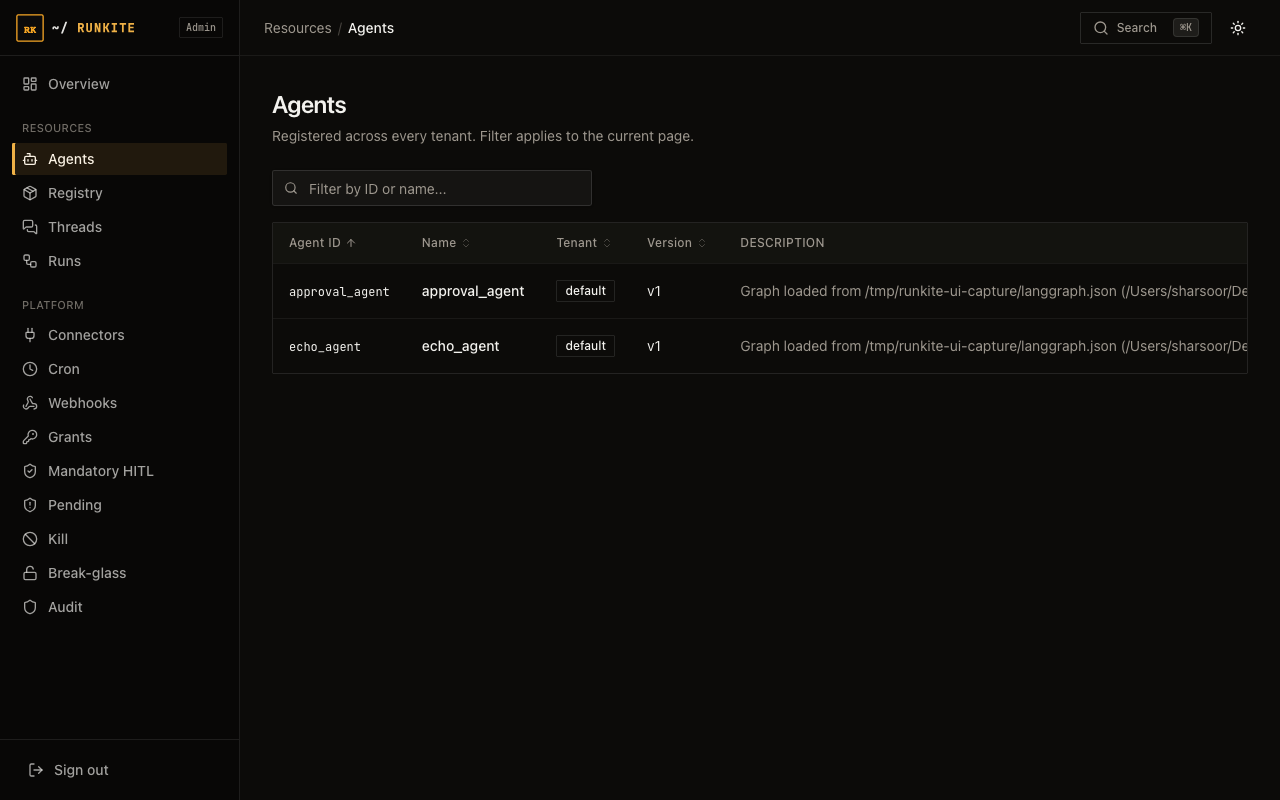
docs/runners.md). - Verify: Admin → Agents shows registered ids (click a row for schema + version history); create a thread + run with that
agent_id.
# Python
pip install runkite-runner
runkite-runner --config path/to/langgraph.json \
  --grpc-address 127.0.0.1:50051 \
  --http-address http://127.0.0.1:2026

# TypeScript
npm install -g runkite-runner
runkite-runner --config path/to/langgraph.json \
  --grpc-address 127.0.0.1:50051 \
  --http-address http://127.0.0.1:2026
In the product
What to expect
- Success: agent listed in Admin;
runs/waitreturnssuccessfor a healthy graph. - Routing: jobs go only to runners that declared that agent’s
runner_kind. - Which agents appear: only the
graphskeys in your control plane'slanggraph.jsonat boot; production lists your agents, not demo examples unless you point config there. - Limits: framework adapters differ on concurrency safety; see runners doc.
Reference: docs/runners.md · Admin UI guide → Agents · Try path · Protocols